The worst margin problem is the one you don't know about
Set a margin target. When ingredient costs push a recipe below target, you know — before your P&L tells you weeks later.
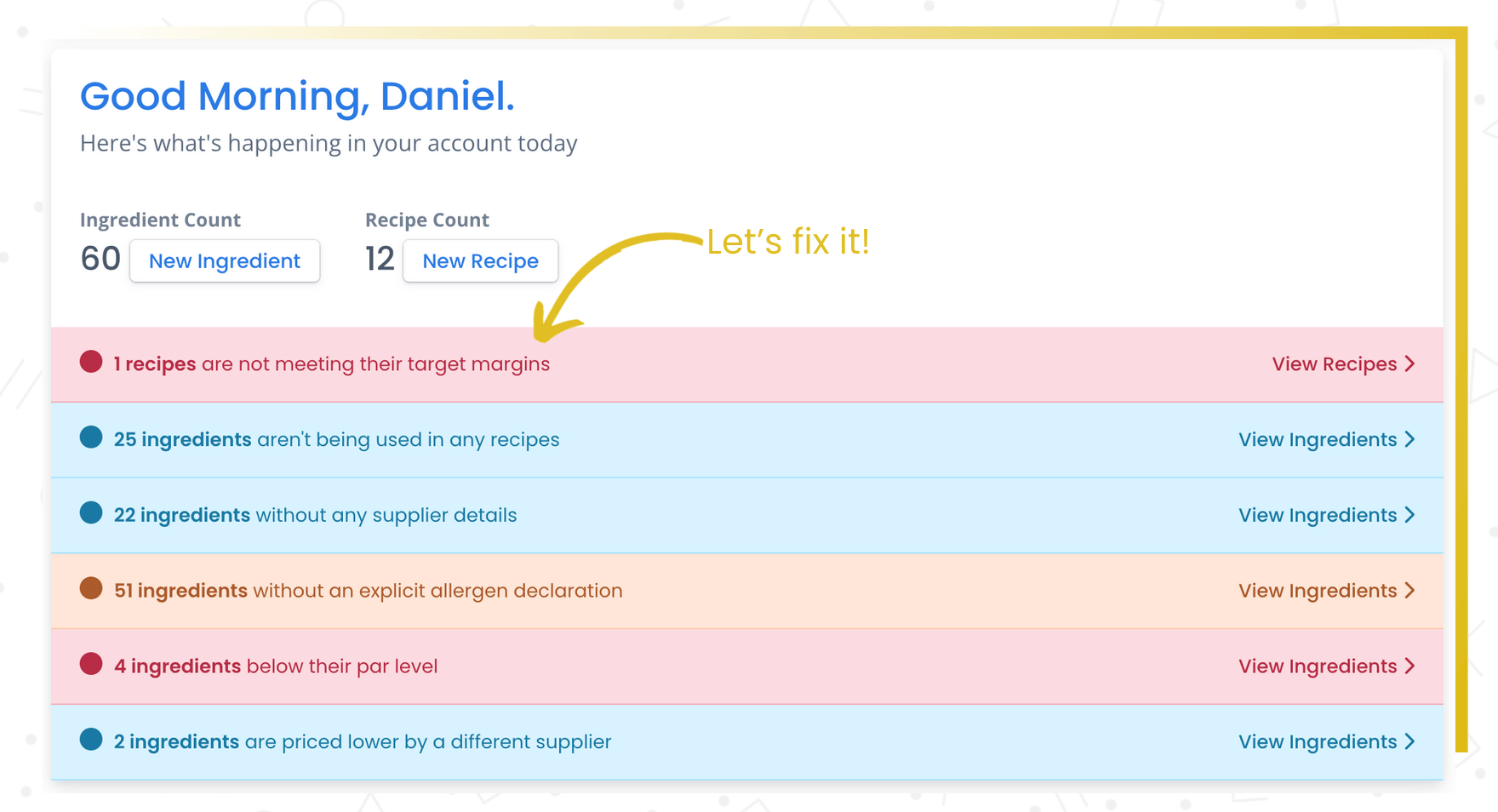
Silent margin erosion costs more than any single price increase
You priced a dish at 32% food cost. Three ingredients went up. It's now at 38%. Nobody checks every recipe every day, so you find out from your accountant — weeks too late.
- Ingredient costs change but menu prices stay the same
- Nobody monitors every recipe's margin every day
- You discover margin problems from your accountant, not your system
Margin warnings surface problems as they happen — not at the end of the quarter.
You set a target margin on a recipe when you price it. But ingredient costs change — sometimes gradually, sometimes overnight. If you're not watching every recipe's margin every day (and nobody is), costs can creep past your targets without you noticing.
Recipe Cost Calculator watches for you. Set a target margin on any recipe, and if ingredient or labour cost changes push the actual margin below your target, you'll see a warning on your dashboard. You decide what to do about it — adjust the price, find a cheaper supplier, or change the recipe — but at least you know.
What you get
Automatic alerts
When costs push a recipe below its target margin, a warning appears on your dashboard.
Different targets per recipe
Set 30% for appetizers, 35% for mains, 25% for beverages.
Dashboard visibility
Catch margin problems at a glance whether you're looking at the big picture or one recipe.
How it works
Set margin targets
Define your target margin for each recipe.
Costs update automatically
When ingredient prices change, recipes recalculate. If margin drops below target, a warning fires.
Act before it compounds
See the warning. Adjust the price, swap an ingredient, or accept the new margin.
Margin monitoring vs. hoping for the best
| The old way | With RCC |
|---|---|
| Discover margin problems from your quarterly P&L | Get alerted the day a recipe drops below target |
| Same margin target for everything — or none at all | Different targets per recipe, category, or menu |
| Check recipe costs manually when you remember | Dashboard warnings surface issues automatically |
Warnings show up on your dashboard and on the recipe itself, so you catch them whether you're looking at the big picture or working on a specific dish. You can set different margin targets for different recipes depending on your pricing strategy.
Why this matters
Catch margin problems early.
The worst kind of cost problem is the one you don't know about. Margin warnings surface issues as they happen, so you can make adjustments while they're still small. It's a simple concept, but it keeps a lot of operators from losing money without realizing it.
Frequently asked questions
Catch margin problems the day they happen
Set your targets. The system watches your margins so you don't have to.