POs disconnected from your data = prices that don't match
Pick a supplier, select ingredients, and the PO populates with current pricing and pack sizes. Receive against it and everything updates.
Ordering in one system, pricing in another, inventory in a third
Prices on the PO don't match your cost system. Receiving doesn't update inventory. Nothing connects. Every gap is a chance for error.
- Purchase orders disconnected from ingredient pricing
- Receiving doesn't update inventory or costs
- No price comparison between PO and invoice price
Purchase orders that connect to your ingredients, inventory, and costs — everything stays in sync.
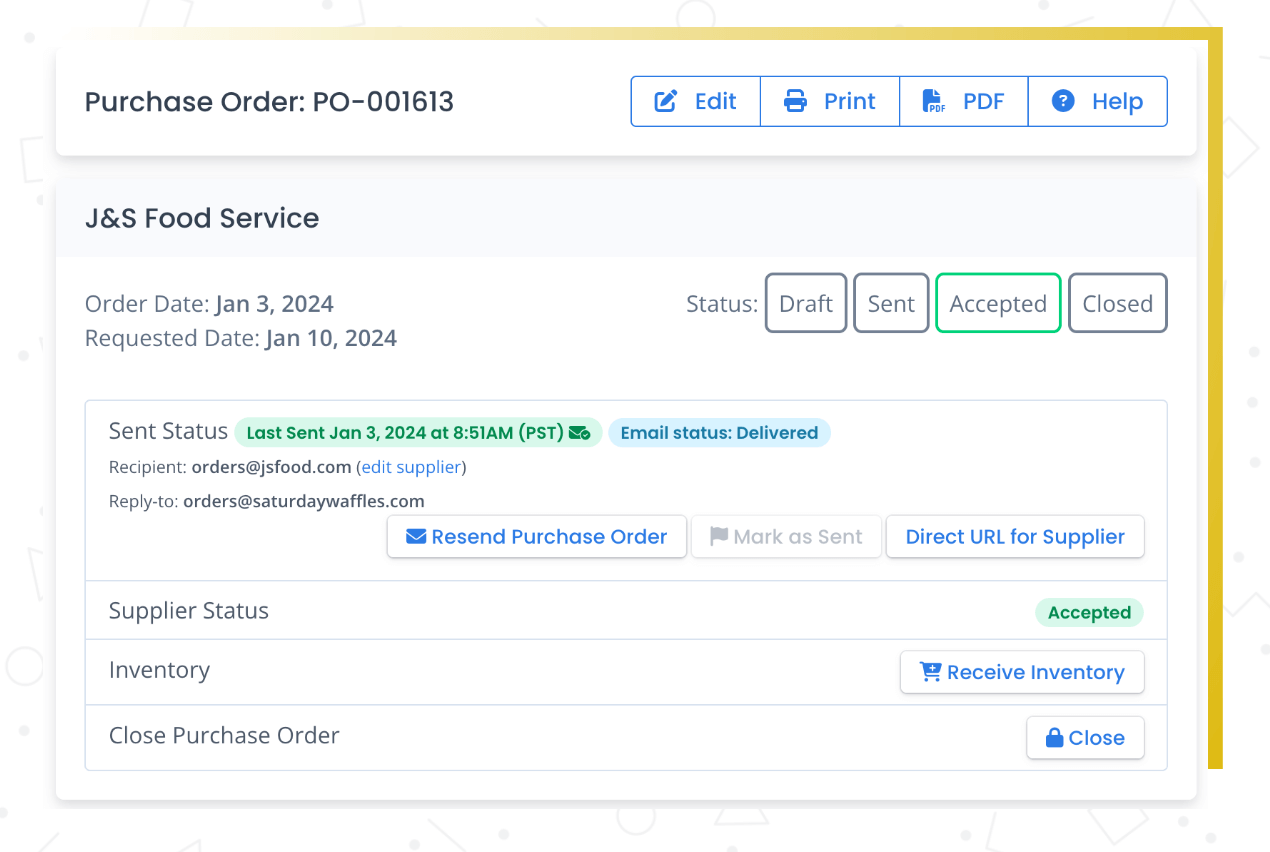
Once you know what you need to order — whether from a production plan, a shopping list, or just looking at your par levels — you can create purchase orders right inside Recipe Cost Calculator. Select your supplier, pick your ingredients, and the PO populates with your current pricing and pack sizes.
Send the PO to your supplier directly, or export it as a PDF. When the order arrives, receive it in the system and your inventory updates automatically.
What you get
Connected ordering
POs pull current prices, pack sizes, and supplier codes. No re-entry.
Receive and update
Receive against a PO and inventory updates. Price differences get flagged.
Send to suppliers
Generate a clean PO document and send it directly.
How it works
Create a purchase order
Select supplier and pick ingredients. Pricing populates from your data.
Send to supplier
Generate and send the PO document. The order is tracked.
Receive and reconcile
When goods arrive, receive against the PO. Inventory updates and price changes are flagged.
Purchase orders tie into the rest of the system naturally. Receive against a PO and your inventory counts update. If the invoice price differs from what you expected, you can update the ingredient price right there. The whole flow — plan, order, receive, cost — stays connected.
Why this matters
Ordering that connects to everything else.
Purchase orders in Recipe Cost Calculator aren't just a PDF generator — they're connected to your ingredients, your inventory, and your costs. When you receive an order, your inventory updates. When prices change, your recipes update. It's one less system to manage separately.
Frequently asked questions
Ordering that actually connects to your data
Purchase orders tied to your ingredients, inventory, and costs. Everything stays in sync.